



Other Ashampoo SHARPEN #6
Ashampoo SHARPEN #6 | lifetime | Instant Delivery via Email Original price was: €14.58.Current price is: €10.80.
Back to products
Other Ashampoo UnInstaller 16
Ashampoo UnInstaller 16 | lifetime | Instant Delivery via Email Original price was: €13.77.Current price is: €9.18.

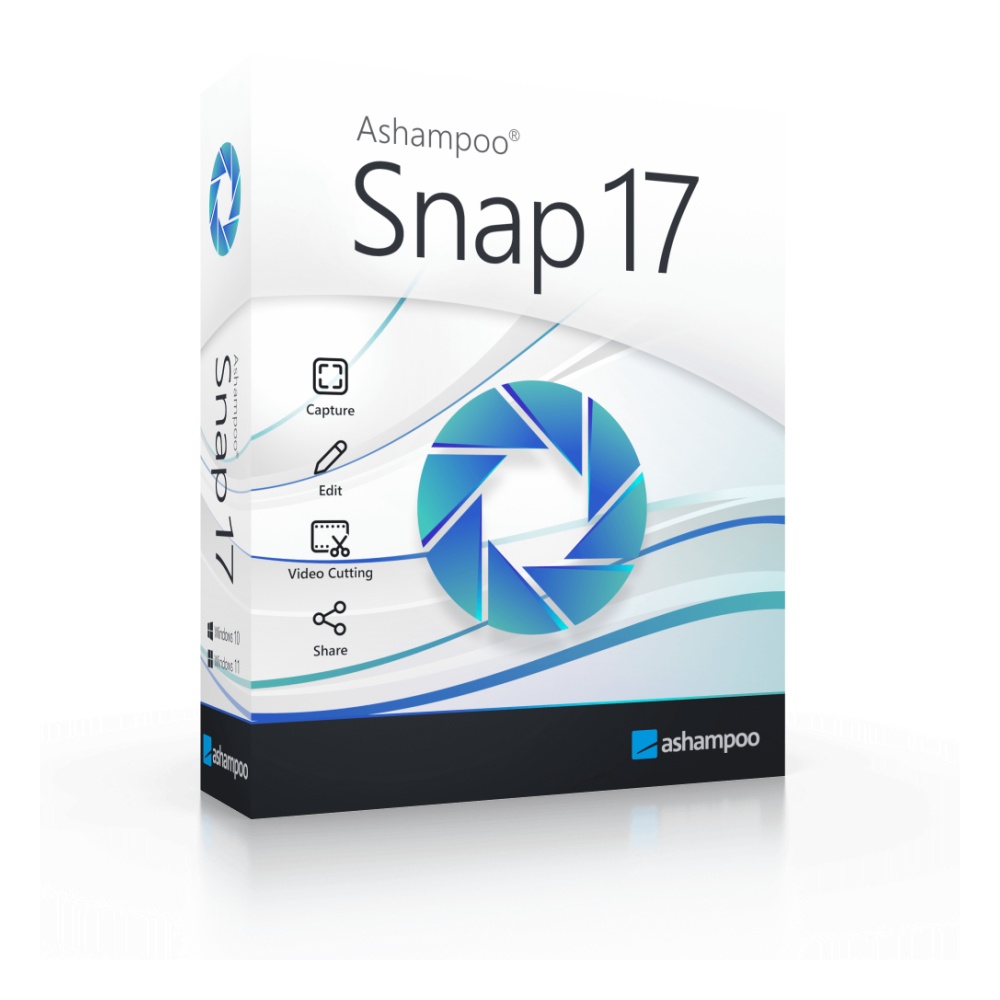
Ashampoo Snap 17 | lifetime | Instant Delivery via Email

Original License: Ashampoo Snap 17

Original software with official license

✅ Compatible with Windows

✅ Available for 1 device

✅ Instant license delivery via email

✅ Safe purchase from Anisho

SKU: N/A
promotions

این محصول را با تخفیف ویژه Purchase کنید

Purchase محصول in جشنواره رویداد های اخیر

Sale_coupon_15

Original price was: €13.07.Current price is: €9.83.

Geographic Activation Restriction
View list of allowed countries

License Restriction Details

×
Your current location: United States (US)

Dear customer, this product is a digital item with regional activation restrictions (Region Lock).

Please only purchase if you can activate in the countries listed below.

Countries allowed for activation:

Germany France United Kingdom (UK) Italy Spain Netherlands Belgium Switzerland Austria Sweden Norway Denmark Finland Poland Portugal Ireland Greece Czech Republic Romania Hungary Slovakia Bulgaria Croatia Lithuania Latvia Estonia Slovenia Luxembourg Cyprus Malta Iceland Liechtenstein
13 People watching this product now!

Immediate Email Delivery

100% Original License

Official Invoice

Secure Payment

Shopping with various payment gateways :

تصویر زیبای لباس سنتی و مدرن با طراحی منحصر به فرد در فروشگاه آنیشو.

Description

Buy Original License: Ashampoo Snap 17

Ashampoo Snap 17 is a professional screen capture and video recording software designed for Windows users who need to create high-quality screenshots and screen recordings quickly and efficiently. This powerful application allows you to capture anything displayed on your screen, whether it is a single window, a specific region, a scrolling webpage, or your entire desktop. Once captured, the built-in editor provides comprehensive tools to annotate, enhance, and share your images and videos. Snap 17 introduces a completely redesigned interface with a new quick access toolbar, improved video editor technology, and enhanced performance that reduces system load while delivering faster response times. Whether you need to document software procedures, create tutorials, capture online content, or communicate visual information with colleagues, Ashampoo Snap 17 provides the tools you need in one streamlined package.

Who Is It For?

Ashampoo Snap 17 is the ideal solution for a wide range of users who regularly work with visual content. Home office professionals will appreciate the ability to quickly capture and annotate screenshots for remote communication with teams and clients. Technical writers and documentation specialists can create detailed tutorials with automatic numbering, comments, and graphical elements that make instructions clear and easy to follow. Customer support representatives benefit from capturing error messages and system states to troubleshoot issues effectively. Educators and trainers can record screen videos to create engaging learning materials, while content creators and bloggers can capture web content and enhance it with professional annotations. Software developers use Snap 17 to document bugs, create feature demonstrations, and communicate design concepts visually. Even casual users find value in the straightforward capture tools for saving recipes, booking confirmations, or any on-screen information they want to preserve. The intuitive interface ensures that both beginners and power users can work productively from day one.

Key Features of Ashampoo Snap 17

Feature Description
New Quick Access Toolbar Places your most-used capture and editing functions within immediate reach for a smoother, faster workflow
Advanced Screen Capture Capture full screen, windows, regions, or freehand selections with pixel-perfect precision
Scrolling Capture Technology Improved scrolling capture for complex webpages and documents that extend beyond visible screen area
Video Recording Record screen activity with optimized video capture technology and extended configuration options
Redesigned Video Editor New technology and improved interface for editing recorded videos with greater precision
MP4 Export (H.264) Efficient video conversion to widely compatible MP4 format for easy sharing and playback
Multi-Format Export Export videos as GIF animations, extract audio tracks, or save individual frames as images
Annotation Tools Add automatic numbering, comments, stickers, arrows, shapes, and highlights to screenshots
Enhanced Numbering System New numbering technology with advanced settings and colour styles for step-by-step documentation
Improved Text Highlighter Better contrast highlighter tool for emphasising important information in captures
Modern Print Function Real-time print preview with paper format options (A3, A4, Letter), margin configuration, and saved presets
Drag-and-Drop Support Quickly move captures into other applications or folders using intuitive drag-and-drop
Optimised Sharing Improved share function with enhanced web upload capabilities for instant distribution
Reduced System Load Faster startup and response times with optimised resource usage for better overall performance

License and Purchase Information

When you purchase Ashampoo Snap 17 from Anisho, you receive an original software license valid for 1 device running Windows. This is a genuine license key that provides full access to all features of Ashampoo Snap 17, including future updates within the version. The license is perpetual, meaning you can use version 17 indefinitely without recurring subscription fees. After completing your purchase, you will receive your license key via email, allowing you to download and activate the software immediately. The installation process is straightforward, and your license ensures you receive official support directly from Ashampoo when needed.

Why Anisho?

Anisho is your trusted source for original software licenses delivered to customers throughout Europe. When you purchase from Anisho, you receive 100% genuine license keys directly authorised by the software manufacturers. We offer instant digital delivery, so you can download and activate your software within minutes of completing your order. Our prices are competitive, ensuring you get great value without compromising on authenticity or quality. Our customer support team is available to assist with any questions about your purchase, and all transactions are secure and protected. Choose Anisho for a reliable, fast, and affordable way to obtain your legitimate software licenses.


Buy Original License: Ashampoo Snap 17

Ashampoo Snap 17 is a professional screen capture and video recording software designed for Windows users who need to create high-quality screenshots and screen recordings quickly and efficiently. This powerful application allows you to capture anything displayed on your screen, whether it is a single window, a specific region, a scrolling webpage, or your entire desktop. Once captured, the built-in editor provides comprehensive tools to annotate, enhance, and share your images and videos. Snap 17 introduces a completely redesigned interface with a new quick access toolbar, improved video editor technology, and enhanced performance that reduces system load while delivering faster response times. Whether you need to document software procedures, create tutorials, capture online content, or communicate visual information with colleagues, Ashampoo Snap 17 provides the tools you need in one streamlined package.

Who Is It For?

Ashampoo Snap 17 is the ideal solution for a wide range of users who regularly work with visual content. Home office professionals will appreciate the ability to quickly capture and annotate screenshots for remote communication with teams and clients. Technical writers and documentation specialists can create detailed tutorials with automatic numbering, comments, and graphical elements that make instructions clear and easy to follow. Customer support representatives benefit from capturing error messages and system states to troubleshoot issues effectively. Educators and trainers can record screen videos to create engaging learning materials, while content creators and bloggers can capture web content and enhance it with professional annotations. Software developers use Snap 17 to document bugs, create feature demonstrations, and communicate design concepts visually. Even casual users find value in the straightforward capture tools for saving recipes, booking confirmations, or any on-screen information they want to preserve. The intuitive interface ensures that both beginners and power users can work productively from day one.

Key Features of Ashampoo Snap 17

Feature Description
New Quick Access Toolbar Places your most-used capture and editing functions within immediate reach for a smoother, faster workflow
Advanced Screen Capture Capture full screen, windows, regions, or freehand selections with pixel-perfect precision
Scrolling Capture Technology Improved scrolling capture for complex webpages and documents that extend beyond visible screen area
Video Recording Record screen activity with optimized video capture technology and extended configuration options
Redesigned Video Editor New technology and improved interface for editing recorded videos with greater precision
MP4 Export (H.264) Efficient video conversion to widely compatible MP4 format for easy sharing and playback
Multi-Format Export Export videos as GIF animations, extract audio tracks, or save individual frames as images
Annotation Tools Add automatic numbering, comments, stickers, arrows, shapes, and highlights to screenshots
Enhanced Numbering System New numbering technology with advanced settings and colour styles for step-by-step documentation
Improved Text Highlighter Better contrast highlighter tool for emphasising important information in captures
Modern Print Function Real-time print preview with paper format options (A3, A4, Letter), margin configuration, and saved presets
Drag-and-Drop Support Quickly move captures into other applications or folders using intuitive drag-and-drop
Optimised Sharing Improved share function with enhanced web upload capabilities for instant distribution
Reduced System Load Faster startup and response times with optimised resource usage for better overall performance

License and Purchase Information

When you purchase Ashampoo Snap 17 from Anisho, you receive an original software license valid for 1 device running Windows. This is a genuine license key that provides full access to all features of Ashampoo Snap 17, including future updates within the version. The license is perpetual, meaning you can use version 17 indefinitely without recurring subscription fees. After completing your purchase, you will receive your license key via email, allowing you to download and activate the software immediately. The installation process is straightforward, and your license ensures you receive official support directly from Ashampoo when needed.

Why Anisho?

Anisho is your trusted source for original software licenses delivered to customers throughout Europe. When you purchase from Anisho, you receive 100% genuine license keys directly authorised by the software manufacturers. We offer instant digital delivery, so you can download and activate your software within minutes of completing your order. Our prices are competitive, ensuring you get great value without compromising on authenticity or quality. Our customer support team is available to assist with any questions about your purchase, and all transactions are secure and protected. Choose Anisho for a reliable, fast, and affordable way to obtain your legitimate software licenses.
Frequently Asked Questions

What is Ashampoo Snap 17 and what does it do?

Ashampoo Snap 17 is a professional screen capture and video recording software that lets you capture screenshots and record videos from your screen in high quality. It includes a built-in image editor with auto-numbering, comments, stickers, and graphic elements, as well as a video editor and format conversion tools.

Which Windows versions are compatible with Ashampoo Snap 17?

Ashampoo Snap 17 is fully compatible with Windows 10 and Windows 11. The license is valid for one Windows device.

How will I receive my Ashampoo Snap 17 license after purchase?

After purchase, your license key will be delivered digitally and instantly to your email. There is no need to wait for physical shipping.

How many devices can I use the Ashampoo Snap 17 license on?

The license is valid for one Windows device. Once activated, you can use all features of the software without any limitations.

Is this an original license and will I receive official updates?

Yes, the license sold by Anisho Store is an original and official license issued directly by Ashampoo Germany. With this genuine license, you will receive official software updates and technical support from the manufacturer.

Can Ashampoo Snap 17 capture scrolling web pages?

Yes, one of the key features of Ashampoo Snap 17 is the ability to capture scrolling pages. You can take a complete screenshot of an entire long web page or multi-page document with just one click.

What video and image export formats does Ashampoo Snap 17 support?

Ashampoo Snap 17 can export recorded videos to MP4 format with H.264 codec, animated GIFs, audio files, or still images. It also supports various screenshot capture modes including full screen, active window, and selected area.

Does Anisho Store offer support in case I have issues with installation or activation?

Yes, Anisho Store provides Persian-language customer support. If you need help with installation, activation, or using the software, their support team is available to resolve issues quickly and professionally.

Product Specifications

overview Features

BrandAshampoo
Delivery methodExpress Delivery - Manual Delivery - Sent by AdminImmediate delivery
Operating System TypeWindows
Geräte1 Device
ChatGPT Image Apr 1, 2026, 06 58 14 PM (1)

User reviews

Reviews

There are no reviews yet.

Only logged in customers who have purchased this product may leave a review.